


So, two years have passed since that relocation—two years during which my desktop computer (stand-alone computer) has accompanied me to various places, as I’ve traveled in search of myself and a sense of meaning. Before these last two years (during 2023–2024)—as I’ve mentioned and discussed at length here on the site—I was also occupied with various personal projects. Following that relocation and continuing up to the present (late 2024 through 2026), I have kept working on these same projects:
- I continued developing the art book—a joint project with my father—which eventually evolved into a website; it grew from an online book into a blog, and more.
- I continued scanning and digitizing the artwork—for which I even purchased an A3 scanner to accommodate larger paintings.
- And so on.
The reason I’m writing this post is that the computer in question—which I’ve owned for about 15 years (a real “old-timer” that has been with me every step of the way)—presents a few issues. For one, it uses a European-style power plug, and I need an American-style connection. Furthermore, it only supports VGA or DVI (maybe HDMI as well), which means I have to use my old monitor with it. There are other issues as well.
Over the past week (starting at October 13), I looked into the various details regarding how to set it up here in the United States, including the accessories and solutions I would need to purchase. At each step, I would buy something—such as a voltage converter—only to discover that its connector wasn’t “standard”, forcing me to buy yet another adapter. For instance, the outlet I needed to use (EU-style) was recessed, preventing me from plugging in my device directly; I therefore had to get an adapter that could fit into that recessed outlet, while providing a non-recessed socket (flush outlet) on the other end where I could plug in my device (adapter that can be described as ‘EU plug adapter to universal plugs’). Additionally, I purchased another type of adapter so that I could also utilize the second socket on the unit (adapter that can be described as ‘Type G [UK] plug adapter to universal plugs’).
Things got further complicated with the keyboard connection (which used USB 2.0—USB 3.0 didn’t exist yet), even alongside the presence of an older-style port (PS/2 port), among other issues. Ultimately—as I mentioned, it took about a week—everything is now connected and working.
For instance, I tried connecting an HDMI cable directly to the computer, but for some reason, it didn’t work (I wasn’t sure whether to use the port on the motherboard or the one on the graphics card, and I didn’t want to open the case to figure out which one it should be—plus, it’s possible that neither one is working, since I tried both). I also tried a 2 VGA connections, which didn’t work either—perhaps there’s an issue with the interface, though I’m not entirely sure. I even tried using a USB hub to connect a new monitor via HDMI, but that also failed. In the end, I managed to get it connected to my old monitor, specifically through one of the DVI ports (very convinced it’s the one connected to the graphics card).
I was a bit anxious over the last two years, hoping the computer had survived all the rough handling and that it would still function, given its considerable age. As it turns out, it did—and it works.
Why is this so important?
I knew there were many important files there, but specifically regarding this matter, I later realized that it contained quite a few photos—memories I had captured—as well as documentation of various artworks I created during my childhood. These original pieces are long gone and only survived in those photographs.
The image below shows my workspace with everything connected and up and running:

[19:25 o’clock]
Update: Oct 19, 16:00-17:00 – Video
In the video, I am explaining what happened over the 15 minutes leading up to the recording (around 16:15), during which I finally managed to get the computer running and Windows to boot up properly. Following that, I began transferring all the files from the computer to a new 6TB hard drive—a process that is expected to take at least 4 days (96 hours straight) of continuous operation, if not longer.
The video
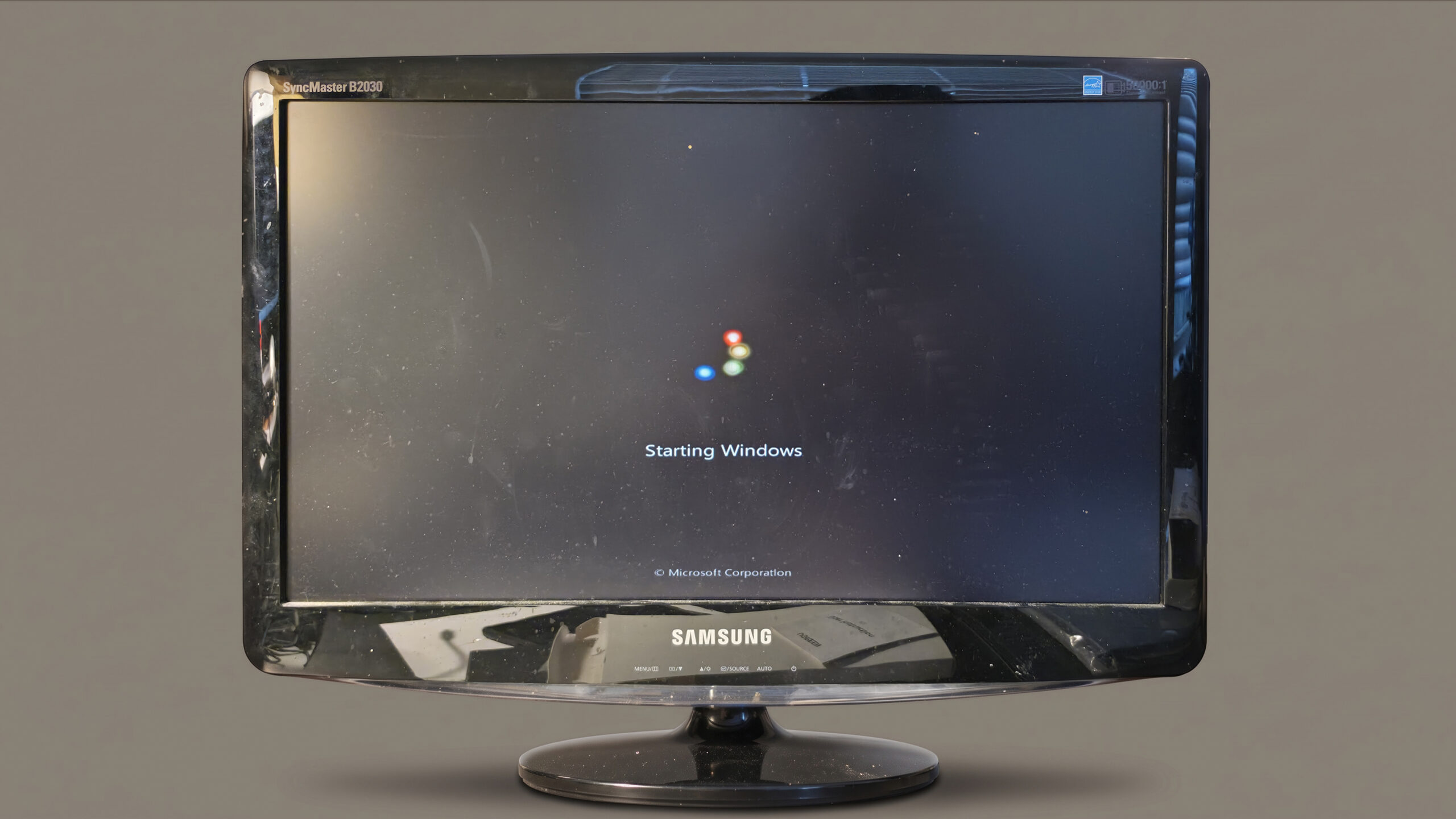
The screen – Loading got stuck
Update: Oct 20, 07:30
I found the computer in a powered-off (sleep) state and managed to wake it up. The login screen appeared, requiring a password to access my user account; it seemed the computer had restarted, as the file transfer had stopped, and upon logging in, the system effectively reloaded everything.
Consequently, I had to check how to make the computer “To make your computer never sleep mode”—operation that in Windows 7 is performed by opening the “Control Panel”, entering “Power Options”, and changing the time settings for sleep mode and turning off the display to the value “Never”. After that, I started doing the entire transfer all over again.
Update: Oct 21, 20:00
For various reasons, the transfer time for such a large volume of data fluctuates—likely due to the size and quantity of the files, as well as variations in computer speed. In theory, with an average speed of 18.5 MB/second, the process should have taken about 57 hours (based on binary calculation). However, based on the progress made—about 20.5% of the data had been transferred (as of 8:00 PM that day) over the course of 36 hours—it was projected to take 173 hours in total. In the end, it took ___ hours to transfer the 3.62TB. Following that, I still had to transfer the remainder, which was divided into smaller segments (totaling less than 1TB, each).
Update: Oct 22, 16:56
During the transfer (on the 21st, at ___), a notification appeared; I had to review it, understand what it was, and confirm it before the transfer could continue. It was “______”. Right near the end (today), with only a few minutes left, a series of consecutive messages began appearing, stating that certain files could not be transferred due to “_____”. After skipping about 10 of them, I realized this wouldn’t end, so I decided to apply a blanket approval for everything (without continuing to check them one by one). Ultimately, the transfer was completed at 16:56.
Although I don’t know the exact start time, it was quite close to 08:00 (on the 20th); given that it finished at 16:56 (today), the total duration comes to 57 hours. Therefore, it is reasonable to assume that the first notification (message) appeared around the time I checked the transfer status—causing only a brief, insignificant pause—which confirms that the initial calculation of 57 hours is correct.
Now, I’ll proceed with transferring the remainder…
In the end, I transferred a total of ???TB of data, which was spread across various disks and partitions:
|
All in all, this amounts to an absurd number of files—tens of thousands—that I now need to go through, one by one. I have to find what I need—such as lost artworks—edit the images when necessary, and finally upload them to the website.